Git internals
This section summarises the underlying machinery of some of the main ideas of Git.
The working directory in Git is the project folder or directory. This directory contains the project files and also a hidden folder, (formally) the Git repository as .git.
A Git respository stores changes to the project as snapshots. Note that Git does not save multiple versions of the project files; instead, project files are hashed (by SHA1 or more recently with SHA256). Since hashing functions yield the same hash value (even on different machines), Git can build up a database of file content changes with different hash values. Furthermore, SHA values are (effectively) globally unique, meaning that a commit on one local machine references the same project change as all other machines.
Git Object store and Git Index
Git records changes to existing project files in the Git index as binary data file in .git/index. This is effectively a staging “area” that is updated the moment a project file is modified.
Developers can save changes at this transitory stage with git add or remove changes with git rm (note that the latter does not delete the file, only instructs Git to stop tracking changes, i.e. remove it from the index). When committing changes, Git then finalises the updates and creates a new commit hash.
The Git object store is broadly speaking where all project files and related are managed.
- Blobs - binary large object of the file content only. These are only referenced to by trees via the blob’s hash value.
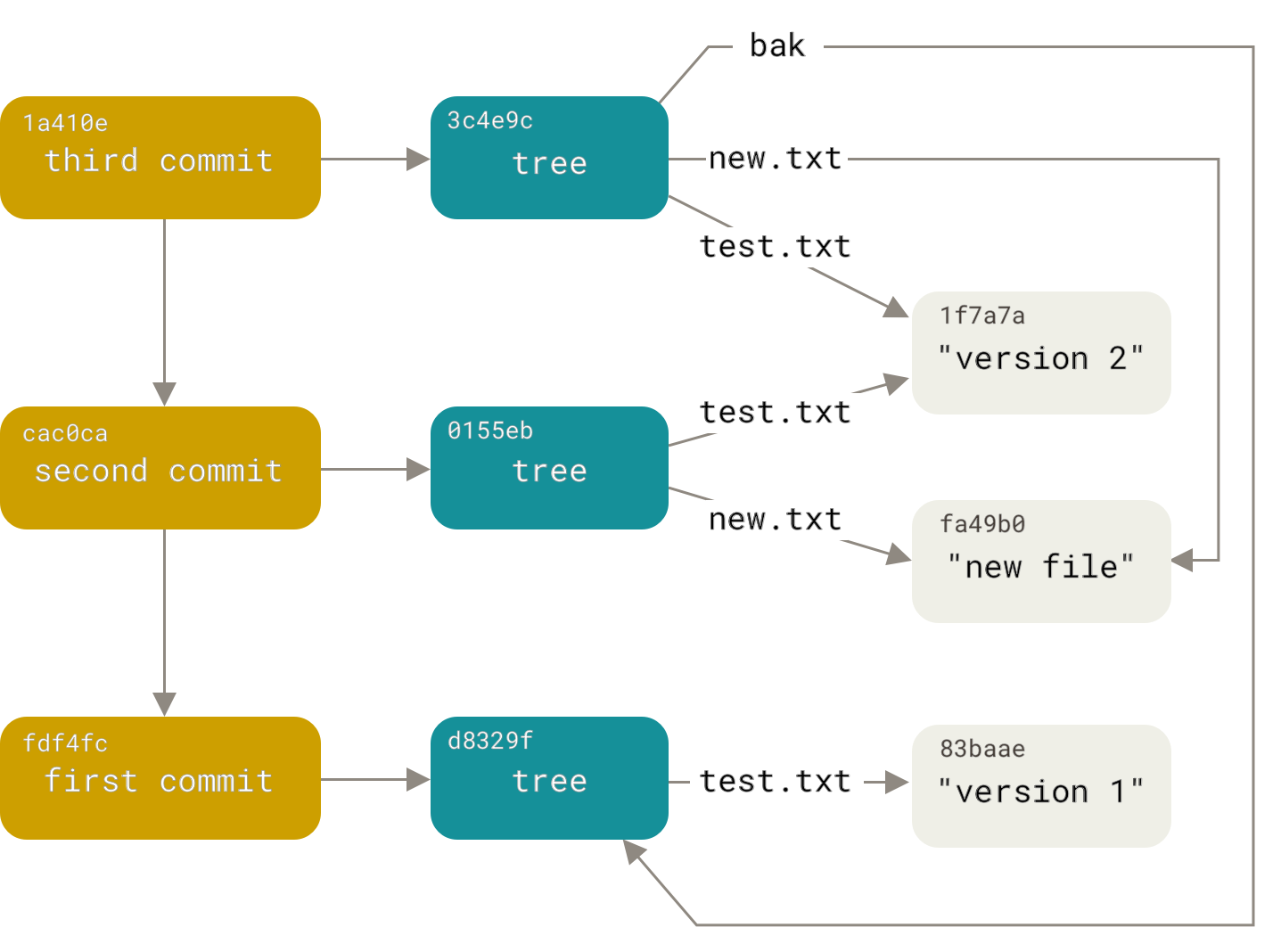
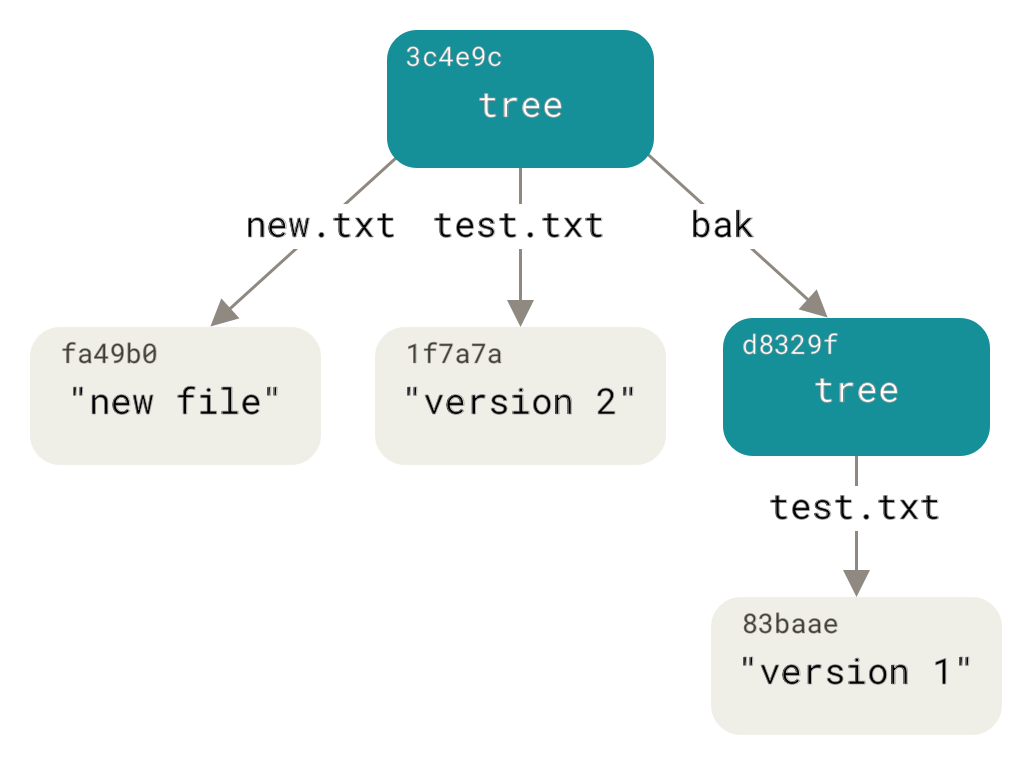
- Trees - represents the one (current) directory level, storing pointers to a list files (pointers to blobs) in the given directory and pointers to other directories, as subtrees in the given directory. The tree does not know about its parent tree, so the data structure is one-way. The parent directory of the project is only referenced to by a commit.
- Commits - holds metadata for each change introduced, with e.g. author, dates and log messages. A given commit always point to earlier commits and can be illustrated through
DAG diagrams(Directed acyclic graph). - Tags - usually a human readable name to a commit. Without them, developers can only refer to specific commits by their hash value. These can only point to one commit.
Both blobs and trees are compressed with ZLib, via a packfile mechanism.
A good conceptual model is given in the Pro Git book. The following shows how two text files and subdirectory “bak” are managed:
The following shows the relationship between different commits and how references to unmodified files (e.g. test.txt) are represented through a DAG diagram: